Text In Style – Create Fancy Fonts, Gaming Names & Cool Text Messages
Text In Style is a fancy text generator where you can generate fancy text font styles for your normal
text or Messages.
It is a stylish text generator that helps users to convert their normal text into fancy fonts, cool
symbols, decorative names, and unique
text styles that can be copied and pasted anywhere you want.
It has same functionality as other fancy text websites like fancytextguru.com or others. But, apart from this, we provide more
functionality thatyou will not find other websites. We made this website thinking of people who wants
fast, reliable and simple website
that change
their fancy text font styles really fast. Here, you find many options and features that
you might not find any other websites.
What is a Text In Style Text Font Generator?
It is a text generator online tool that helps user to change their normal text into decorative
Unicode-based fancy textfonts.
These fonts work on almost all platforms like Instagram, WhatsApp, Facebook, Discord, Free Fire, BGMI,
and YouTube.
For example:
Normal Text:
Text In Style
Stylish Versions:
ꪻꫀ᥊ꪻ ﺃꪀ ᦓꪻꪗꪶꫀ
𝕋𝕖𝕩𝕥 𝕀𝕟 𝕊𝕥𝕪𝕝𝕖
𝓣𝓮𝔁𝓽 𝓘𝓷 𝓢𝓽𝔂𝓵𝓮
𝔗𝔢𝔵𝔱 ℑ𝔫 𝔖𝔱𝔶𝔩𝔢
How to use Text In Style Fancy Text Generator?
It is really easy to use text in style fancy text generatro. You have to just click on "✎ Type Text..."
input bar and write your text or message. For
example you can write your messages like "I am sorry," "I love you," or whatever message you want to
share with your
family members or loved ones you can write here. You can also write here your names if you want a fancy
names that look
unique and cool, or you can also use nickname like "The Last Lord" if you want.
Here, you write message, name, or nicknames. Once you write it, it going to generate
lots of fancy text styles for you.
How to copy paste Generated fancy text styles?
As you write your message, name or nickname into input bar, it going to generate fancy text styles for
you. Now you
have to just click on any of them that you like. As you click, It will copy your fancy text style and
you will see a
notification bar with a copy notification in green
color with fancy text style. When you see that, it means it's copied. Now you can share it anywhere you
want.
Where Can You Use Text In Style Fancy Text?
You can use it anywhere you want, whether social media platforms like Facebook, YouTube,
Instagram, TikTok or mobile apps like X, WhatsApp, or websites, community apps,
community website and much more places. Below here, you can see some of examples
1. Instagram Bio
Many Instagram users use stylish fonts to make their bios look unique.
Example:
✨ Dream Big
🎮 Gamer
📍 India
Stylish Version:
✨ 𝓓𝓻𝓮𝓪𝓶 𝓑𝓲𝓰
🎮 𝓖𝓪𝓶𝓮𝓻
📍 𝓘𝓷𝓭𝓲𝓪
2. Gaming Nicknames
Stylish gaming names are very popular in games like:
- Free Fire
- BGMI
- PUBG
- Call of Duty
- Discord
Examples:
꧁༒DARK KING༒꧂
★彡Shadow彡★
『R O C K Y』
☠️Ghost☠️
A unique nickname helps profiles look more professional and memorable.
3. WhatsApp Status & Messages
Stylish text is also used for:
- Birthday wishes
- Love messages
- Festival greetings
- Status updates
Example:
🎂 𝓗𝓪𝓹𝓹𝔂 𝓑𝓲𝓻𝓽𝓱𝓭𝓪𝔂 🎉
𝕀 𝕕𝕠𝕟’𝕥 𝕗𝕠𝕝𝕝𝕠𝕨 𝕡𝕖𝕠𝕡𝕝𝕖, 𝕀 𝕔𝕣𝕖𝕒𝕥𝕖 𝕞𝕪 𝕠𝕨𝕟 𝕡𝕒𝕥𝕙.
🅼🆈 🅰🆃🆃🅸🆃🆄🅳🅴 🅳🅴🅿🅴🅽🅳🆂 🅾🅽 🅷🅾🆆 🆈🅾🆄 🆃🆁🅴🅰🆃 🅼🅴.
𝙸 𝚝𝚛𝚞𝚜𝚝𝚎𝚍 𝚢𝚘𝚞, 𝚋𝚞𝚝 𝚗𝚘𝚠 𝚢𝚘𝚞𝚛 𝚠𝚘𝚛𝚍𝚜 𝚖𝚎𝚊𝚗 𝚗𝚘𝚝𝚑𝚒𝚗𝚐.
丂ㄒ尺ㄖ几Ꮆ 山ㄖ爪乇几 ᗪㄖ几’ㄒ 卄卂ᐯ乇 卂ㄒㄒ丨ㄒㄩᗪ乇丂, ㄒ卄乇ㄚ 卄卂ᐯ乇 丂ㄒ卂几ᗪ卂尺ᗪ丂.
(๑•̀ㅂ•́)و✧ 𝔹𝕖 𝕗𝕖𝕒𝕣𝕝𝕖𝕤𝕤, 𝕓𝕖 𝕦𝕟𝕤𝕥𝕠𝕡𝕡𝕒𝕓𝕝𝕖.
4. YouTube Channel Names
Many creators use stylish fonts for channel branding.
Example:
Normal:
Tech Master
Stylish:
𝕋𝕖𝕔𝕙 𝕄𝕒𝕤𝕥𝕖𝕣
What kind of fancy text styles I can generate here?
Here you can create many kind of fancy text styles. We have created sub-pages of
different fancy text styles so, it becomes easier for you to understand
what they are for. So, you can choose the best style you want.
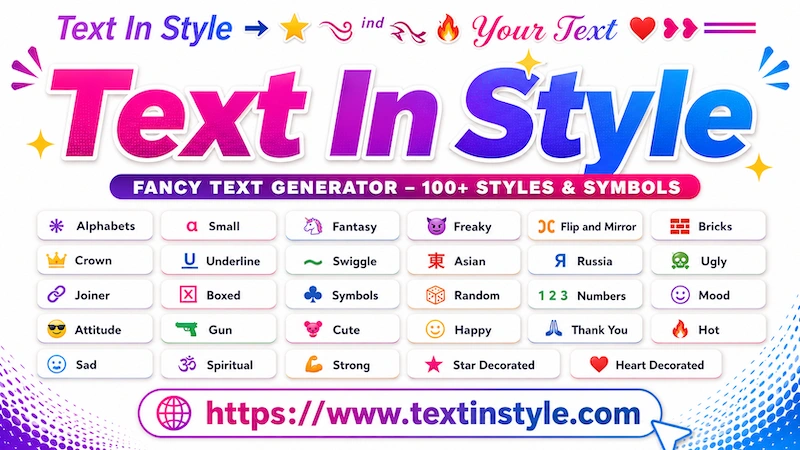
Below are some fancy text style categories available on TextInStyle:
- Alphabets
- Small
- Fantasy
- Freaky
- Flip Mirror
- Bricks
- Crowned
- Underline
- Swiggle
- Asian
- Russia
- Ugly
- Joiner
- Boxed
- Symbols
- Random
- Numbers
- Gun
- Cute
- Happy
- Thank you
- Hot
- Sad
- Spiritual
- Strong
- Star Decoration
- Heart Decoration
These are the sub-pages of this website. Every sub-page has its own unique
fancy text styles. As the sub page name suggests, you will find related
fancy text styles collection here.
For example, if you want a spiritual fancy text style, you have to just
click on the Spiritual navigation link. Then you will see
all the fancy text styles related to spiritual.
In the same way, if you click on Sad, you will see fancy
text styles related to sadness.
Like this, you can explore many different categories of fancy text styles
and use them to express yourself in a better and more creative way.
How to use built-in messages
Here you can find built-in messages. These messages are really useful when you
want to express your feelings but you do not know what words to say.
Thinking of that, we have created a collection of ready-made messages that you can easily use.
On the right side, you will see an orange Bulb icon. Just click on it.
As you click the icon, a pop-up window will open with many different
message categories.
You will see categories like:
- Attitude
- Broken
- Love
- Girl
- And many more
Inside this, you will find many well written messages that you can use.
For example:
“I don't follow people, I create my own path.”
“I trusted you but now your words mean nothing.”
These messages help you express your emotions in a better way.
You can read them and choose the one you like.
For example, if you like the message:
“I don't follow people, I create my own path.”
Just click on that message. Once you click it, the message will automatically
appear in the input box and It will create fancy text styles for you.
You can then choose any fancy text style you like, copy it, and share it
anywhere you want.
Does Text In Style Works Everywhere?
Yeah it almost works on all modern smartphones, apps, browsers and even some older devices, because It
uses Unicode characters.
And not only that, these fancy text styles work across almost all devices and platforms.
It also works between different devices. For example, if you are using an
Android phone and the other person is using an iPhone, the message you will send will still
appear in the same style exactly as you see it on your phone.
Even people who uses simple or keypad phones can see the same symbols
and fancy text styles. These phones may only support basic features like
calling and messaging, but the copied text can still appear correctly when
you send it to them.
You can also use these text styles in design software and creative tools like
Canva to create stylish graphics, posters, thumbnails, and text designs.
Even in ChatGPT image prompts, you can copy fancy text styles from here and
paste them into your prompt. The AI can then generate images using the same
text style that you selected.
So no matter which platform, device, or app you use, these fancy text styles
make your messages and designs look more creative and unique.
Frequently Asked Questions
Is Text In Style safe to use?
Yes. Text In Style fancy text generators only convert text into Unicode characters.
Can I use stylish fonts on Instagram?
Yes. You can use them in bios, usernames, captions, and comments.
Do stylish names or nicknames works in Free Fire and BGMI?
Yes. stylish nicknames or names works in gaming profiles.
Do I need to install software?
No. TextInStyle work directly in your browser.