Sad Text Generator – Copy Emotional & Sad Fancy Text In Style Fonts
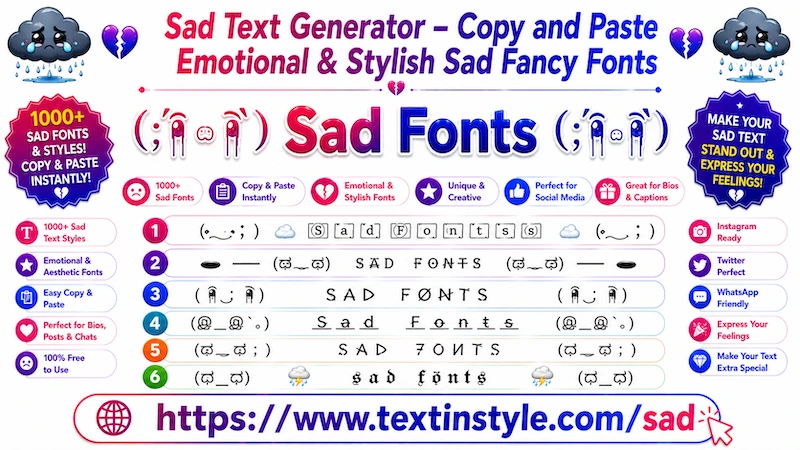
Sad Stylish Font is a fancy text style that is designed to express sadness and emotions through text. These text
styles add
emojis, symbols, Japanese emoticons, and text art that represent sad feelings. Along with these decorative elements,
your normal text is also converted into different font styles.
By combining stylish fonts with emotional symbols, it creates unique Sad Stylish Font that instantly make your message
feel emotional. These styles often include symbols such as broken hearts, crying faces, black hearts,
rain clouds, and other elements that represent sadness, heartbreak, or loneliness.
That is why they are called Sad Fancy Text styles. Here, you will find a collection of sad fancy text styles that you
can copy, paste, and share with anyone and anywhere you want.
Why Should I Use Sad Stylish Font?
Sometimes, you want to express your feelings but do not want to explain everything directly. For example, you may want
to show your emotions to your friends, family members, or followers without making a video or writing a long message.
If you feel sad, heartbroken, disappointed, or emotional, these fancy text styles can help express those feelings in a
simple and creative way.
All you need to do is type your message here, generate the sad fancy text, copy it, and then share it as your WhatsApp
bio, WhatsApp status, Instagram caption, post, or message
When your friends or family read your message, they may understand that you are feeling sad or going through something
difficult—without you needing to explain everything directly. These text styles help communicate emotions in a more
visual and expressive way.
How to Copy Paste Sad Stylish Font?
It is very simple to do. First, click on the input bar and type your message. As soon as you type, the tool will
automatically generate sad fancy text styles for you.
Now, scroll down to see all sad text styles. Once you find one you like, simply click on it.
After clicking, you will see a "Copied" notification. This means the text has been copied successfully. Now, You can
paste and share it anywhere you want.
How to Use Regenerate It Button?
It is very simple to use. On the right side, below the bulb icon, you will see the Regenerate It icon.
When you click it, the tool will instantly generate a fresh set of sad fancy text styles for your current input.
Instead of scrolling down and clicking the "More Sad Text in Style" button to load additional options, the regenerate it
button refreshes the existing list with completely new styles in the same place.
This makes it faster and easier to explore different text designs. Once you find one you like, simply click to copy it
and share it anywhere you want.