Boxed Text Generator – Copy Stylish Box Fonts & Square Text In Style
Boxed Text In Style is a fancy text style that places every letter of your text inside box-shaped symbols.
When you type a message, the tool automatically converts each individual letter into a boxed version. For example, if you write "hello", each letter such as h, e, l, l, and o will be transformed into stylish boxed characters.
Different styles of box symbols are used to create unique and decorative text effects. Some box styles are simple, while others are more creative and stylish.
These Boxed Fancy Text Styles are perfect for names, nicknames, gaming usernames, messages, and social media bios.
You can also explore many examples of boxed text styles with names, nicknames, and messages.
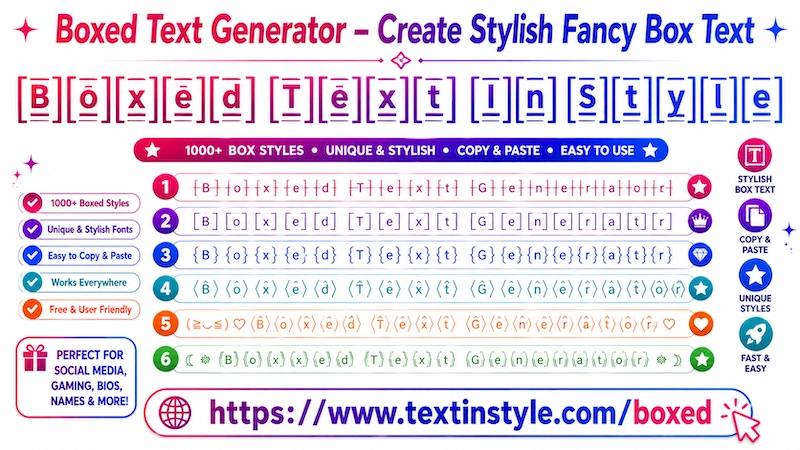
What is Boxed Text?
Boxed text in style or boxed fancy text is decorative Unicode typography where letters are surrounded by square shapes, borders, frames, or block-style symbols.
These fonts create a bold and eye-catching appearance, making them popular in gaming and aesthetic profiles.
Example:
Normal Text:
Boxed Text In Style
Boxed Text Styles:
╟B╢╟o╢╟x╢╟e╢╟d╢ ╟T╢╟e╢╟x╢╟t╢ ╟I╢╟n╢ ╟S╢╟t╢╟y╢╟l╢╟e╢
⎡B⎦⎡o⎦⎡x⎦⎡e⎦⎡d⎦ ⎡T⎦⎡e⎦⎡x⎦⎡t⎦ ⎡I⎦⎡n⎦ ⎡S⎦⎡t⎦⎡y⎦⎡l⎦⎡e⎦
【B】【o】【x】【e】【d】 【T】【e】【x】【t】 【I】【n】 【S】【t】【y】【l】【e】
꧁༒☠️ ⦑B⦒⦑o⦒⦑x⦒⦑e⦒⦑d⦒ ⦑T⦒⦑e⦒⦑x⦒⦑t⦒ ⦑I⦒⦑n⦒ ⦑S⦒⦑t⦒⦑y⦒⦑l⦒⦑e⦒ ☠️༒꧂
(っ˘ω˘ς ) ⦑B⦒⦑o⦒⦑x⦒⦑e⦒⦑d⦒ ⦑T⦒⦑e⦒⦑x⦒⦑t⦒ ⦑I⦒⦑n⦒ ⦑S⦒⦑t⦒⦑y⦒⦑l⦒⦑e⦒
How to Copy Paste Boxed Text in Style
It is very easy to use. Simply type your text, message, name, nickname, or anything you want into the Input Bar.
As soon as you type your text, the tool will automatically generate many Boxed Fancy Text Styles for you.
Now, scroll through the generated styles and click on any one that you like.
Once you click on a style, you will see a "Copied" notification. When you see that notification, it means the text has been copied successfully.
Now you can paste or share it anywhere you want.
How to Use Flourish Feature in Boxed Fancy Text In style?
It is very easy to use. On the right side of every fancy text style, you will see a green design icon.
For example, if you generate a Boxed Fancy Text Style and want to make it look even more unique and decorative, simply
click on the green design icon.
Once you click it, a popup window will open. Inside the popup, you will see the same boxed fancy text style with
additional decorative symbols, kaomoji, emojis, and stylish effects added to it.
You can explore many different decorative styles here.
Copying works the same way as before. Simply click on any style that you like, and a "Copied" notification will
appear.
If you want more unique designs, you can use the "Regenerate It" button. Every time you click it, the tool will
generate new decorative boxed fancy text styles for you.
You will also find a select menu with different Flourish categories, such as:
- Kawaii
- Cute
- Gamers
- Sunglasses and more.
Each Flourish category adds different decorative effects to your boxed fancy text styles.
For example, Kawaii Flourish adds Japanese-style emojis and kawaii faces to your text.
Cute Flourish adds heart symbols, cute emojis, sparkles, and adorable kaomoji faces.
Gamers Flourish adds gaming-related symbols such as bombs, fire effects, electricity, crowns, swords, guns, and
other gaming-style decorations to make your text look more powerful and unique.