Bricks Text Generator – Copy Paste Block Style & Brick Fancy Text Fonts
Bricks Text in Style is a fancy text style that adds brick-style symbols at the beginning and end of your text. It also converts your normal text into stylish fonts with unique symbols, making it look more creative and attractive.
These styles include arrows, decorative symbols, stylish fonts, and different text designs to make your nickname, name, or message look more fancy. That is why we call it Bricks Fancy Text Style.
You can see many examples of brick text styles with nicknames, names, and messages.
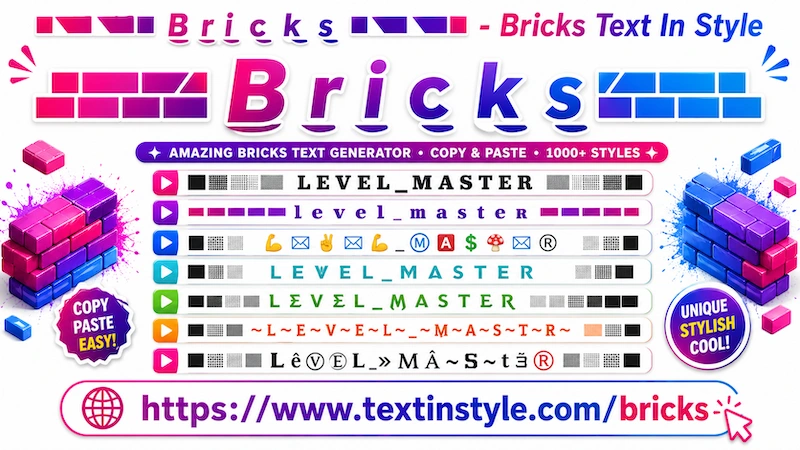
What is Bricks Text?
Bricks text is a decorative Unicode font text style where letters appear
heavier, boxed, square, or block-shaped. These fancy fonts create a strong
and powerful look, making them popular in gaming and stylish social media profiles.
Example:
Normal Text:
MR_DOMINATOR
Bricks Style Text:
█▓▒░𝙼̷𝚁̷_𝙳̷𝙾̷𝙼̷𝙸̷𝙽̷𝙰̷𝚃̷𝙾̷𝚁̷░▒▓█
。* ゚.*.。(っ ᐛ ) っ█▓▒░M̺R̺_D̺O̺M̺I̺N̺A̺T̺O̺R̺░▒▓█
█▓▒░⡷M⑊R⑊_⑊D⑊O⑊M⑊I⑊N⑊A⑊T⑊O⑊R⢾░▒▓█
█▓▒░⡷MR_DOMINATOR⢾░▒▓█
▀▄▀▄▀▄MR_ÐÖMÌñĆÖR▀▄▀▄▀▄
Bricks Style Messages:
▀▄▀▄▀▄𝙸̷ d⊕η’† f̊o̊l̊l̊o̊ẘ ⓟⓔⓞⓟⓛⓔ, 𝐼 ⍧☈ℇ⍲⍑ℇ m̾y̾ όώή 🅿🅰🆃🅷.▀▄▀▄▀▄
█▓▒░𝘔𝘺 𝘢𝘵𝘵𝘪𝘵𝘶𝘥𝘦 𝘥𝘦𝘱𝘦𝘯𝘥𝘴 𝘰𝘯 𝘩𝘰𝘸 𝘺𝘰𝘶 𝘵𝘳𝘦𝘢𝘵 𝘮𝘦.░▒▓█
█▓▒░丨’爪 几ㄖㄒ 丂卩乇匚丨卂ㄥ, 丨’爪 フㄩ丂ㄒ ㄥ丨爪丨ㄒ乇ᗪ 乇ᗪ丨ㄒ丨ㄖ几.░▒▓█
▀▄▀▄▀▄⦑I⦒ 𒐖𒀼𐎏𒀼𒇲 𝚕̷𝚘̷𝚜̷𝚎̷, ǝᴉʇɥǝɹ Ꭵ ᘺᓰᘉ 𝕠𝕣 🅸 𝓁𝑒𝒶𝓇𝓃.▀▄▀▄▀▄
▀▄▀▄▀▄ŁƐƓƐЛÐら ÐØЛ’Ť FØŁŁØƜ 尺ЦŁƐら, ŤнƐϤ ௱ΛҚƐ ŤнƐ௱.▀▄▀▄▀▄
How to Copy Bricks Fancy Text Style
It is very easy to do. Just click on the input bar and write your message, text, nickname, or name. Once you type it,
the tool will automatically generate brick fancy text styles for you.
By default, you will see around six brick text styles. Simply click on any style that you like. Once you click on it,
a notification saying "Copied" will appear.
When you see that notification, it means the text has been copied successfully. Now you can paste or share it anywhere
you want.
How to Use the Regenerate Button
It is very easy to use. Once you write your message in the input bar, the tool automatically generates brick fancy
text styles for you.
By default, you will see around six brick text styles. If you want to load more styles, simply click on the "More
Brick Text In Styles" button.
When you click it, the tool will load 10 more unique brick text styles. You can keep scrolling down and click the
button again to load even more styles.
You can click the button again and again to explore more and more unique brick fancy text styles.
But what if you do not want to scroll down every time? In that case, you can use the Regenerate button.
On the right side, below the bulb icon, you will see the regenerate button. When you click it, all the brick text
styles currently visible on your screen will automatically regenerate into new and unique fancy text styles.
Click it again, and different styles will appear again. In this way, you do not need to scroll down to see new styles.
Once you find a style that you like, simply click on it. A "Copied" notification will appear, and then you can
paste or share it anywhere you want.
How Can I Make Bricks Fancy Text Bigger or Smaller?
It is very easy to do. Below the input box, you will see a slider.
If you move the slider to the right side, it will make your brick fancy text bigger. If you move the slider to the
left side, it will make the text smaller.
Keep in mind that the size changes you see here are mainly for preview purposes. When you share your fancy text on
social media or with other devices, the final size may look different depending on the user's device settings.
For example, if someone is viewing the text on a TV or a phone with larger font settings, the text may appear bigger.
If their device uses smaller font settings, the text may appear smaller.
So, the text size you see here is only for display purposes, while the final appearance depends on the default font
size settings of the viewer’s device.