Joiner Text Generator – Copy and Paste Connected Text In Style
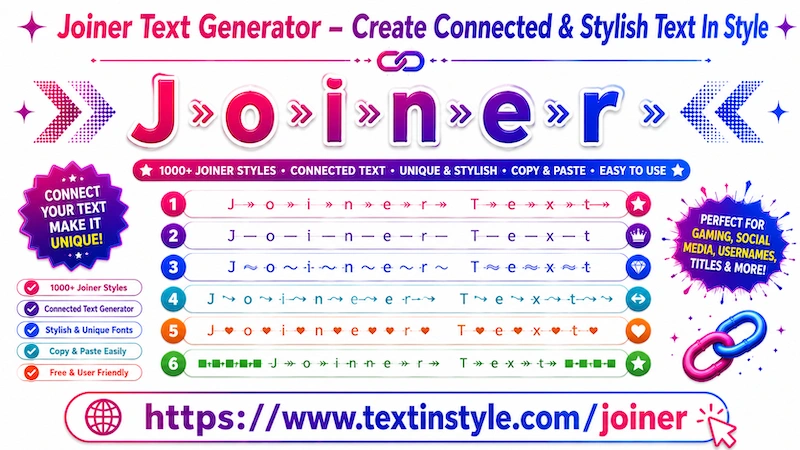
Joiner Textinstyle is a fancy text style that adds symbols, arrows, bricks, and many other decorative symbols
between every letter of your text.
For example, if you write the word "hello", the tool may add arrows or other symbols between each letter,
such as h → e → l → l → o.
In this way, every single letter is connected using stylish symbols and decorative effects. That is why it is
called Joiner Fancy Text Style.
These text styles look unique, creative, and eye-catching, making them perfect for usernames, nicknames, messages,
gaming names, and social media bios.
What is Joiner Fancy Text In Style?
Joiner text in style uses Unicode characters, invisible symbols,
decorative separators, and stylish connectors between words or letters.
These designs make usernames and text styles look unique,
aesthetic, and more creative.
Example:
Normal Text:
Joiner Text In Style
Joiner Text Styles:
J͎͍͐→o͎͍͐→i͎͍͐→n͎͍͐→e͎͍͐→r͎͍͐→ T͎͍͐→e͎͍͐→x͎͍͐→t͎͍͐→ I͎͍͐→n͎͍͐→ S͎͍͐→t͎͍͐→y͎͍͐→l͎͍͐→e͎͍͐→
≋J≋o≋i≋n≋e≋r≋ ≋T≋e≋x≋t≋ ≋I≋n≋ ≋S≋t≋y≋l≋e≋
J⊶o⊶i⊶n⊶e⊶r⊶ ⊶T⊶e⊶x⊶t⊶ ⊶I⊶n⊶ ⊶S⊶t⊶y⊶l⊶e
J𝄆o𝄆i𝄆n𝄆e𝄆r𝄆 𝄆T𝄆e𝄆x𝄆t𝄆 𝄆I𝄆n𝄆 𝄆S𝄆t𝄆y𝄆l𝄆e
J ❘ o ❘ i ❘ n ❘ e ❘ r ❘ ❘ T ❘ e ❘ x ❘ t ❘ ❘ I ❘ n ❘ ❘ S ❘ t ❘ y ❘ l ❘ e
☬╭∩╮(︶︿︶)╭∩╮☬J╎o╎i╎n╎e╎r╎ ╎T╎e╎x╎t╎ ╎I╎n╎ ╎S╎t╎y╎l╎e
How to Copy Paste Joiner Text in Style
It is very simple to use. First, type your message or text into the Input Bar.
As soon as you type your text, the tool will automatically generate Joiner Fancy Text Styles for you.
Now, simply click on any style that you like. Once you click it, a notification saying "Copied" will
appear.
When you see that notification, it means the text has been copied successfully. Now you can paste or share it
anywhere you want.
How Can I Load More Joiner Fancy Text Styles?
It is very easy to do. By default, you will already find many Joiner Fancy Text Styles.
If you want even more styles, simply scroll down to the Decorative Joiner section.
Decorative Joiner styles are especially popular for gaming usernames and stylish nicknames because they include
more creative symbols, decorative effects, and gaming-style designs.
There, you will see a button called "More Joiner Text in Style". When you click it, the tool will generate
more unique Joiner Fancy Text Styles for you.
You can keep clicking the button again and again to load more styles.
However, if you do not want to scroll down repeatedly, you can use the Regenerate button.
You will find the regenerate button on the right side, below the bulb icon. When you click it, the Decorative
Joiner text styles currently visible on your screen will instantly refresh into new unique styles.
Click it once, and you will get new styles. Click it again, and you will get even more unique styles.
This feature is useful for users who want to quickly explore new Joiner Fancy Text Styles without scrolling
endlessly.
Using either the "More Joiner Text in Style" button or the Regenerate button, you can generate
hundreds of unique Joiner Fancy Text Styles.
How to Use Built-in Messages in Joiner Text in Style
It is very easy to use. Simply click on the bulb icon on the right side.
Once you click it, a new page or popup will open with many built-in messages.
You will find different types of messages, such as motivational messages, broken heart messages, emotional
messages, girls' quotes, and many others.
Simply click on any message that you like.
As soon as you click it, the message will automatically appear in the Input Bar and instantly generate Joiner
Fancy Text Styles for you.
Copying works the same way as before. Simply click on any Joiner Fancy Text Style that you like, and it will be
copied automatically.
How Can I Make Joiner Textinstyle Bigger and Smaller?
It is very easy to do. Below the Input Bar, you will find a font size slider.
Move the slider to the right side to make the Joiner Fancy Text bigger. Move the slider to the left side to make
the text smaller.