Lines Text Generator – Copy and Paste Stylish Line & Decorative Text In Style
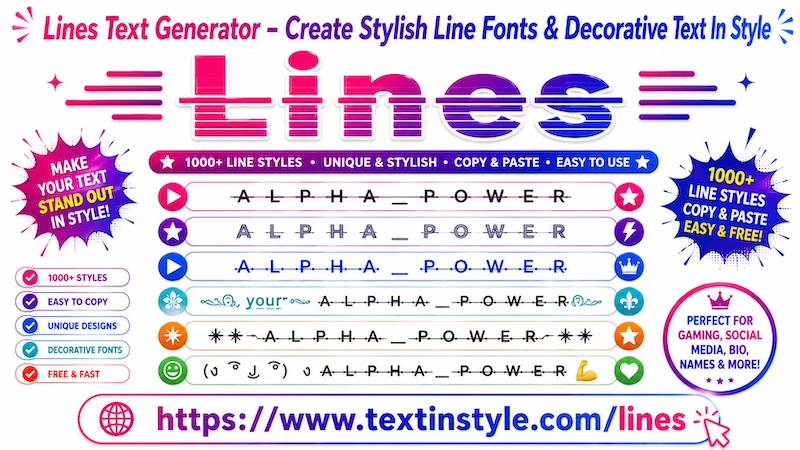
Lines Text in Style is a text designs that add different types of lines and symbols to your normal text. These lines
can appear in the middle of your text, below the text, or around the letters to create a unique and decorative look.
Some styles use slash-like lines across the text, while others use double underline effects, arrow-style lines, or
decorative symbols. Different combinations of lines, effects, and symbols are added to make the text look creative and
stylish.
Here, you will find many unique Lines Fancy Text Styles that you can use for names, nicknames, messages, gaming
usernames, and more.
In the default section, you will find simple line fancy text styles, such as single-line text styles, double-line text
styles, and arrow-style underline text.
If you want more unique and decorative line text styles, simply scroll down to the Decorative Lines section.
In Decorative Lines, you will find stylish text styles that are perfect for gaming names, nicknames, and social media
usernames. These styles include symbols, gaming icons, fire effects, emojis, kaomoji, and many other decorative
elements that make the text look more unique and attractive.
How Can I Load More Lines Text In Style?
It is very easy to do. Simply scroll down to the Decorative Lines section.
There, you will see a button called "More Lines Text in Style". When you click it, the tool will load 10 more
unique Lines Fancy Text Styles for you.
These additional texxt styles are more decorative and added symbols, emojis, kaomoji, gaming icons, and stylish
effects.
In the Decorative Lines section, you can also use the "Regenerate It" button.
You will find the "Regenerate It" button on the right side, below the bulb icon. When you click it while viewing Decorative
Lines, the tool will instantly regenerate new and unique decorative line text styles for you.
This feature is useful for people who do not want to scroll down endlessly. Instead, you can simply click the
regenerate it button again and again to instantly view new unique line fancy text styles.
Once you find a style that you like, simply click on it to copy it.
How to Copy and Paste Lines Text In Styles
It is one of the easiest things to do. First, click on the Input Bar and type your text, message, nickname, or
anything you want.
Once you type your text, it will automatically generate many Lines Text In Styles for you.
Now, simply click on any style that you like. Once you click it, you will see a notification saying "Copied".
When you see that notification, it means the text has been copied successfully. Now you can paste or share it anywhere
you want.
How Can I Make Lines Text In Styles Bigger or Smaller?
It is very easy to do. Below the Input Bar, you will find a slider.
Move the slider to the right side to make the Lines Text In Styles bigger. Move the slider to the left side to make the
text smaller.
Where Can I Use Lines Text In Styles?
You can use Lines Text In Styles almost everywhere online and on digital devices.
They work on social media platforms like Facebook, Instagram, TikTok, Twitter, and YouTube.
You can also use them in messaging apps like WhatsApp and Telegram, as well as on websites, online communities, gaming
platforms, profiles, bios, and design projects.
As long as the platform supports Unicode characters, the fancy text styles should work properly.