Small Text Generator – Copy Tiny Fonts & Small Stylish Gaming Text In Style
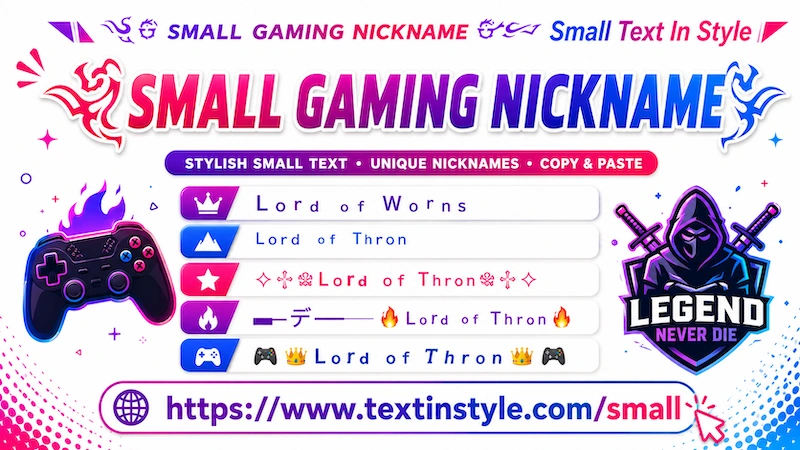
Small gaming nickname is a collection of fancy text in style that mostly focused on small fancy fonts. You can use this fancy text in style for
gaming. Apart from this you can use it for username, nicknames, and also when you are communicating with friends and family through chats you
can use this fancy text for unique message that you can show them. Or when you are chating on comunity forums or social media platforms
with friends or any person, then you can use this fancy text. for getting a better views on your comment because it stand out
from other comments.
By default, in a small text in style you will see only three fancy text style that you can change. After then you see it decorative
small. Here you see by default three fancy text styles again. But if you want to load more, like you want more small
fancy text styles, then you have to click the "More Small Text In Style" button. When you click the
button, you will get 10 more small fancy text. Here you find many unique small fancy text with symbols, emojis, kaomojis, and different kind of emojis. These are
just for making your username or your nickname to stand out.
If you want more fancy text, then just click on "More Small Text In Style" and you can click it again and again. As you click, 10 more styles going to show up.
What is Small Gaming Nickname Generator?
Small Gaming Nickname Generator is a text in style that uses special Unicode characters that appear smaller than normal letters that why we called it small text in style.
These text in style fonts are decorative and work on many modern apps and devices.
Example:
Normal Text:
Small Gaming Nickname Generator
Small Text:
ˢᵐᵃˡˡ ᴳᵃᵐⁱⁿᵍ ᴺⁱᶜᵏⁿᵃᵐᵉ ᴳᵉⁿᵉʳᵃᵗᵒʳ
Stylish Small Text:
ꜱᴍᴀʟʟ ɢᴀᴍɪɴɢ ɴɪᴄᴋɴᴀᴍᴇ ɢᴇɴᴇʀᴀᴛᴏʀ
How to Copy and Paste Small Gaming Nicknames?
It is really easy to do, you have to just follow all steps you see below here:
- Enter Your Text: Click inside the Input Bar (✎ Type Text...) and type your message, name, or
nickname.
- Automatic Generation: It will instantly generate your text in small fancy text styles
- Load More small fancy text: If you want more choices, click the More Small
Text In Style button. As you click, it will dynamically adds 10 or more new styles to the list.
- Copy and Paste: Once you find a style you like, simply click on it. As you click you will see a notification bar will
appear confirming: "copied". The text is now copied to your clipboard, and you can paste it
directly into your game settings, social media platform, or community chat.
Why Gamers Use Small Text In Style?
It is built for exclusively for gaming communities. It is well designed "Decorative Small" Gaming fancy text fonts
to help gamers create custom user nicknames or names. It will help them to stand out in crowded chats or leaderboards. The integration of
small lettering with gaming-centric symbols creates a unique look that standard mobile or PC keyboards name or nickname can't replace.
How to Adjust Text Sizing (Font Size bigger and smaller Feature)
It is a one of features that you will find in our website. It basically works everywhere in this website. The purpose of this tool is just to make sure that you can see your fancy text styles in
small fonts and bigger fonts so that you can understand how exactly it looks.
Because fancy text font sizes scale differently depending on whether you are viewing a webpage on a laptop, a Smart TV, or
a smartphone, this slider ensures you can test the font's readability across different layouts.
How to use the font resizer:
- Locate the Sizing Slider positioned directly below the primary input bar.
- Slide to the right to increase the preview font size.
- Slide to the left to decrease the preview font size.
⚠️ Important Note: Adjusting this slider is strictly for preview purposes
on this website. When you copy and paste the fancy text to different platforms (like social media platforms, online community or other places), the final
display size depends entirely on the user device (like laptop, tablet, mobile, pc) settings. If their system font size is set to large, the fancy
text will appear larger; if their base font is small, it will appear smaller.