Underline Text Generator – Copy paste Stylish Underlined Text in style
Underline Text In Style is a fancy text style that adds decorative symbols below your normal text. When you type your text, it will change it into different stylish fonts and adds underline-like symbols beneath it, making the text look unique and decorative.
Because of these symbols below the text, it looks like underlined fancy text. That is why we called it Underline Fancy Text In Style.
Here, you can find many different underline fancy text styles to choose from and use for your names, nicknames, messages, and more.
By default, you will see around six underline font styles. After that, you will also find decorative underline text styles with more creative designs.
If you want to load more underline fancy text styles, simply click on the "More Underline Text In Styles" button. Once you click it, more unique underline fancy text styles will appear.
Examples of Underline Text In Style
L̺E̺V̺E̺L̺_U̺P̺_X̺
W͙O͙R͙K͙_M͙O͙D͙E͙
P̟R̟O̟_E̟A̟R̟N̟E̟R̟
H͎A͎R͎D͎W͎O͎R͎K͎亗
L͓̽E͓̽V͓̽E͓̽L͓̽_M͓̽A͓̽S͓̽T͓̽E͓̽R͓̽
Examples of Messages:
B͓̽e͓̽ y͓̽o͓̽u͓̽r͓̽ o͓̽w͓̽n͓̽ k͓̽i͓̽n͓̽d͓̽ o͓̽f͓̽ b͓̽e͓̽a͓̽u͓̽t͓̽i͓̽f͓̽u͓̽l͓̽
✧・゚: *✧・゚:* S̟e̟l̟f̟-l̟o̟v̟e̟ i̟s̟ t̟h̟e̟ b̟e̟s̟t̟ l̟o̟v̟e̟. *:・゚✧*:・゚✧
S͎m͎i͎l͎e͎, i͎t͎’s͎ y͎o͎u͎r͎ b͎e͎s͎t͎ a͎c͎c͎e͎s͎s͎o͎r͎y͎.
┏━━━┓⟪✧⟫ A̟ g̟i̟r̟l̟ s̟h̟o̟u̟l̟d̟ b̟e̟ t̟w̟o̟ t̟h̟i̟n̟g̟s̟: w̟h̟o̟ a̟n̟d̟ w̟h̟a̟t̟ s̟h̟e̟ w̟a̟n̟t̟s̟. ⟪✧⟫┗━━━┛
☽༺ S̟t̟a̟y̟ s̟t̟r̟o̟n̟g̟, m̟a̟k̟e̟ t̟h̟e̟m̟ w̟o̟n̟d̟e̟r̟ h̟o̟w̟ y̟o̟u̟’r̟e̟ s̟t̟i̟l̟l̟ s̟m̟i̟l̟i̟n̟g̟. ༻☾
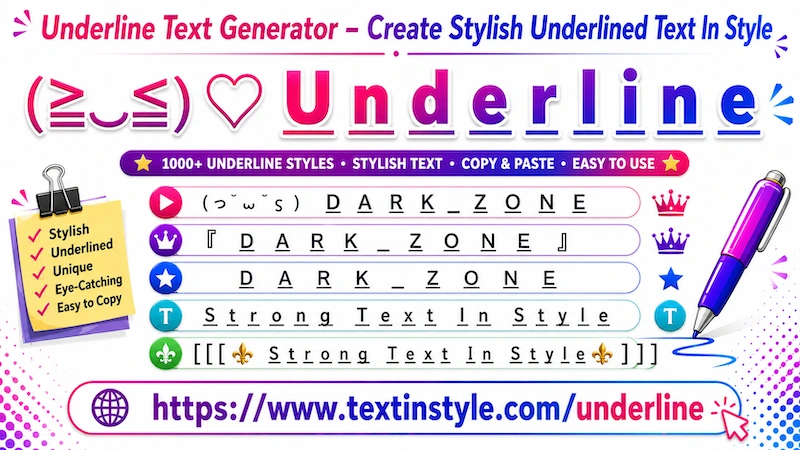
How to Copy and Paste Underline Fancy Text In Style?
It is very easy to do. First, click on the Input Bar and type your message, text, name, nickname, or anything you
want.
Once you type it, this will automatically generate underline fancy text styles for you. Now, simply click on any style that you like. Once you click on it, you will see a notification saying
"Copied".
When you see that notification, it means the text has been copied successfully. Now you can paste or share it anywhere
you want.
How to Use Built-In Messages?
It is very easy to use. On the right side, you will see an orange-colored bulb icon.
Once you click the bulb icon, you will see many built-in messages. Simply click on any message that you like.
When you click a message, it will automatically appear in the Input Bar. As soon as it appears, the tool will
instantly generate underline fancy text styles for that message.
Now, just click on any underline fancy text style that you like. Once you click it, the text will be copied
automatically.
How to Use the Regenerate It Button?
It is very easy to use. You will find the Regenerate it button on the right side, below the bulb icon.
When you click the regenerate it button, it will generate new and unique underline fancy text styles for you.
Keep in mind that the regenerate feature only works with decorative underline text styles.
Once you open the decorative underline section and click the regenerate button, the currently visible text styles will
refresh into new unique styles.
Click it again, and it will generate more unique underline text styles for you again and again.
This feature is especially useful for people who do not want to scroll down repeatedly. Instead of loading more styles
manually, they can simply click the regenerate it button to instantly see new underline fancy text styles.
Once you find a style you like, simply click on it, and it will be copied automatically.
How to Make Underline Text Styles Bigger or Smaller
It is very easy to do. Below the Input Bar, you will see a slider.
When you move the slider to the right side, it will make text bigger. When you move the slider to
the left side, it will make the text smaller.
Keep in mind that this size effect is only for preview purposes, so you can see how the text looks on the website.
When you copy and paste the fancy text styles, the final text size depends on the default font size settings of the
user's device.
If their device uses a larger font size, the text will appear bigger. If their device uses a smaller font size, the
text will appear smaller.