
Flip & Mirror Text is a fancy text in style that turn your normal text into mirror fancy text. So what actually does, it's turn your messages, name, or nickname flip. For example, like if you write something, and when you put it in a mirror, the way you see it the font, that exactly what it does here. And if you like whatever fancy text style generated here, flip and mirror, if you go and in front of mirror if you put your phone, and through your in front of mirror if you see it, you going to read it actually what is written. So you can read it like that. And exactly it does that. It just flip it your text, that's why we call it mirror text. By default, you only see three of them flip and mirror fancy text styles.
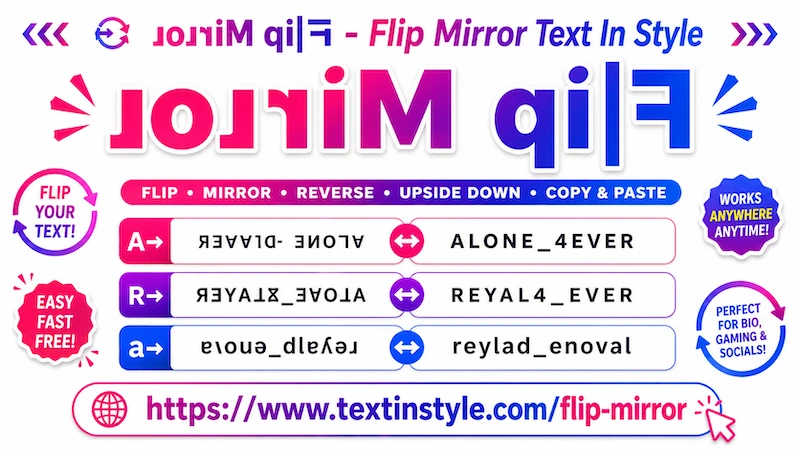
Flip and mirror is a fancy text styles that is created using creative Unicode and text effects where normal text appears upside down, reversed, or mirrored. These text styles are very popular for social media bios, funny messages, gaming profiles, memes, Discord chats, and creative online content.
Example:
Normal Text:
Flip Mirror Text In Style
Flipped Text:
ǝlʎʇS uI ʇxǝ⊥ ɹoɹɹıW dılℲ
Upside Down Text:
ɘ|ʏƚꙄ ᴎI ƚxɘT ɿoɿɿiM qi|ꟻ
Mirror Style:
ɟlᴉd ɯᴉɹɹoɹ ʇǝxʇ ᴉu sʇʎlǝ
It is really easy to do. Just click on the input bar and type your name, nickname, or message. Once you type it, the tool will automatically generate different flip mirror fancy text styles for you.
Now, simply click on any style that you like. Once you click on it, you will see a notification saying "Copied". When you see that notification, it means the text has been copied successfully.
Now you can paste or share it anywhere you want.
It is very easy to use. As you can see, on the right side of every fancy text style, there is a green design icon (palette icon background green).
This is an extra feature we added to give users more customization and functionality. After generating your flip mirror fancy text, you may want more unique styles, symbols, or decorative designs. That is where the design icon (palette icon background green) becomes useful.
For example, you type a nickname and generate fancy text. You may only see a few basic styles on the main page, but if you want more creative and customized flip mirror text styles, then simply click on the design icon (palette icon background green color).
Once you click it, a pop-up window will open. By default, you will see a section called "Flourish Nickname". You will also see a select menu showing "Default Flourish". Here, you can explore around 15 different flip mirror fancy text styles with various symbols, emojis, and decorative icons.
But that is not all. You will also find many different categories inside the select menu.
In Kawaii Flourish, your mirror text will include cute kawaii faces (japanese emoji or emoticons). You will find many creative designs with teddy bears, cute cat faces, bear faces, and other adorable symbols.
Again, you will see more than 20 unique fancy text styles here.
One of the best features is the "Regenerate It" button at the bottom. When you click it, the tool will generate a new set of fancy text styles for you. Every time you click it, you will get new and unique flip mirror text designs.
In Cute Flourish, the tool adds cute symbols, kaomoji, sparkles, flowers, hearts, and adorable faces to your flip mirror text. These designs make your text look more stylish and unique.
By default, you will get around 15 to 20 fancy text styles. If you want even more designs, simply click the "Regenerate It" button to generate new unique text styles again and again.
Gamers Flourish is mainly designed for gamers. In this category, your flip mirror text will include gaming-themed symbols such as guns, swords, skulls, fire effects, lightning symbols, and other cool decorative elements.
You will see around 15 gaming-style text designs by default. If you click the "Regenerate It" button, it will generate more unique gaming mirror text styles for names or messages.
In Sunglasses Flourish, the tool adds cool kaomoji, emojis, and kawaii faces wearing sunglasses. Different stylish fonts are also included, making the text look unique and fun.
You can keep generating new text styles again and again using the "Regenerate It" button.
Copying text from the design section is just as easy as copying from the main page.
Simply click on any fancy text style that you like. Once you click it, you will see a "Copied" notification. That means the text has been copied successfully.
Now you can paste or share it anywhere you want.