Attitude Text Generator – Copy Stylish Attitude Fonts & Cool Nicknames
Attitude Text in style is a fancy text that transforms your normal text into stylish text with an attitude vibe.
When you type your text, the tool automatically adds symbols, emojis, stylish characters, kaomoji, and decorative effects to create bold and attitude-style fancy text designs.
These fancy text styles are specially focused on attitude themes. That is why the symbols, emojis, and decorative effects used in the text represent confidence, swag, boldness, and stylish vibes.
When you look at these fancy text styles, you can instantly recognize the attitude style and unique personality behind them.
By default, you will find around 10 Attitude Fancy Text Styles.
If you want more styles, simply click on the "More Attitude Textinstyle" button.
Every time you click the button, the tool will load 10 more unique Attitude Fancy Text Styles for you.
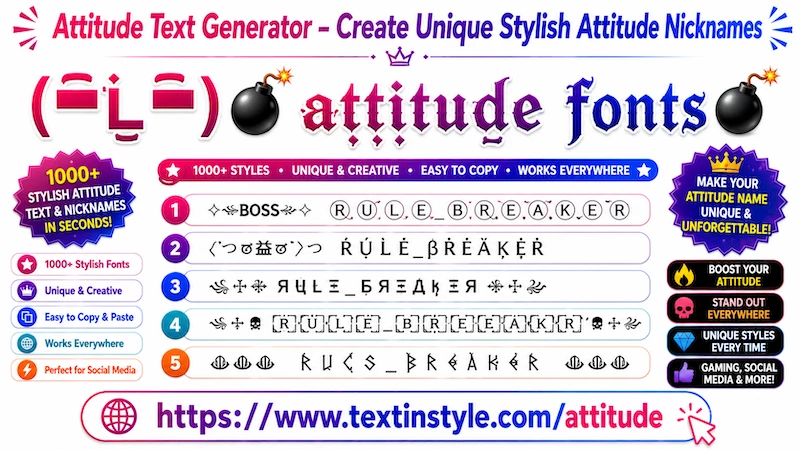
What is Attitude Text?
Attitude text uses stylish Unicode fonts,
decorative symbols, bold typography,
and gaming-inspired text styles
to create strong and eye-catching usernames.
These fonts are popular among gamers,
influencers, and social media users
who want their profiles to stand out.
Example:
Normal Text:
Dark King
Attitude Text Styles:
⚔️ DARK々KING ⚔️
👑 𝕯𝖆𝖗𝖐 𝕶𝖎𝖓𝖌 👑
꧁༒Attitude Boy༒꧂
☠️ BAD BOY ☠️
『KING』⚡『STYLE』
How to Copy Paste Attitude Fancy Text In Style
It is very simple to use.
First, type your message, name, nickname, or any text into the Input Bar.
As soon as you type your text, the tool will automatically generate many Attitude Fancy Text for you.
Scroll through the generated styles and click on any one that you like.
Once you click it, you will see a notification "Copied".
When you see that notification, it means your fancy text has been copied successfully.
Now you can paste or share it anywhere you want.
How to Use the Regenerate It Button?
It is very easy to use.
On the right side, below the bulb icon, you will see the Regenerate It button.
When you click it, the currently visible Attitude Fancy Text will instantly refresh and generate new unique styles.
Click it once, and you will get new styles. Click it again, and even more unique styles will appear.
This feature is especially useful for users who do not want to scroll down repeatedly.
If you prefer scrolling manually, you can simply use the "More Attitude Textinstyle" button instead.
Both options help you discover more unique Attitude Fancy Text Styles easily.
How to Use the Design It Function
It is very simple to use.
First, type your message or nickname into the Input Bar.
For example, if you type something like "The Last Lord", the tool will generate many Attitude Fancy Text for you.
Now, let’s say you find one style that you like, but you want to make it even more unique and stylish.
In that case, look at the right side of the fancy text. You will see a green Design Icon.
When you click the Design Icon, a popup window will open.
Inside the popup, you will see the same fancy text with additional symbols, kaomoji, emojis, and stylish decorative effects added to it.
This gives you even more creative variations of the same Attitude Fancy Text.
Copying works the same way as before. Simply click on any style you like, and it will be copied automatically.
Inside the popup, you will also find a Regenerate it button.
When you click it, the tool will generate even more decorative fancy text of the specific Attitude Text Style you selected.
You will also see different Flourish categories such as:
- Kawaii
- Cute
- Gamer
- Sunglasses
Each category adds different decorative styles and effects to your fancy text.
How to Make Attitude Text in style Look Bigger and Smaller
It is very easy to do.
Below the Input Bar, you will find a slider.
Move the slider to the right side to make the Attitude Fancy Text bigger.
Move the slider to the left side to make the text smaller.
Keep in mind that this feature is only for preview purposes on the website.